A real .NET IDE, now 1.0.
Native on every platform.
An open-source IDE for .NET, free, MIT-licensed and without telemetry. Every 1.x update keeps your settings, the command line and your user data working: what 1.x keeps stable.
- Windows
- 11 x64
- macOS
- 15+ Apple silicon
- Linux
- x64 and arm64
- Needs
- .NET 11 SDK
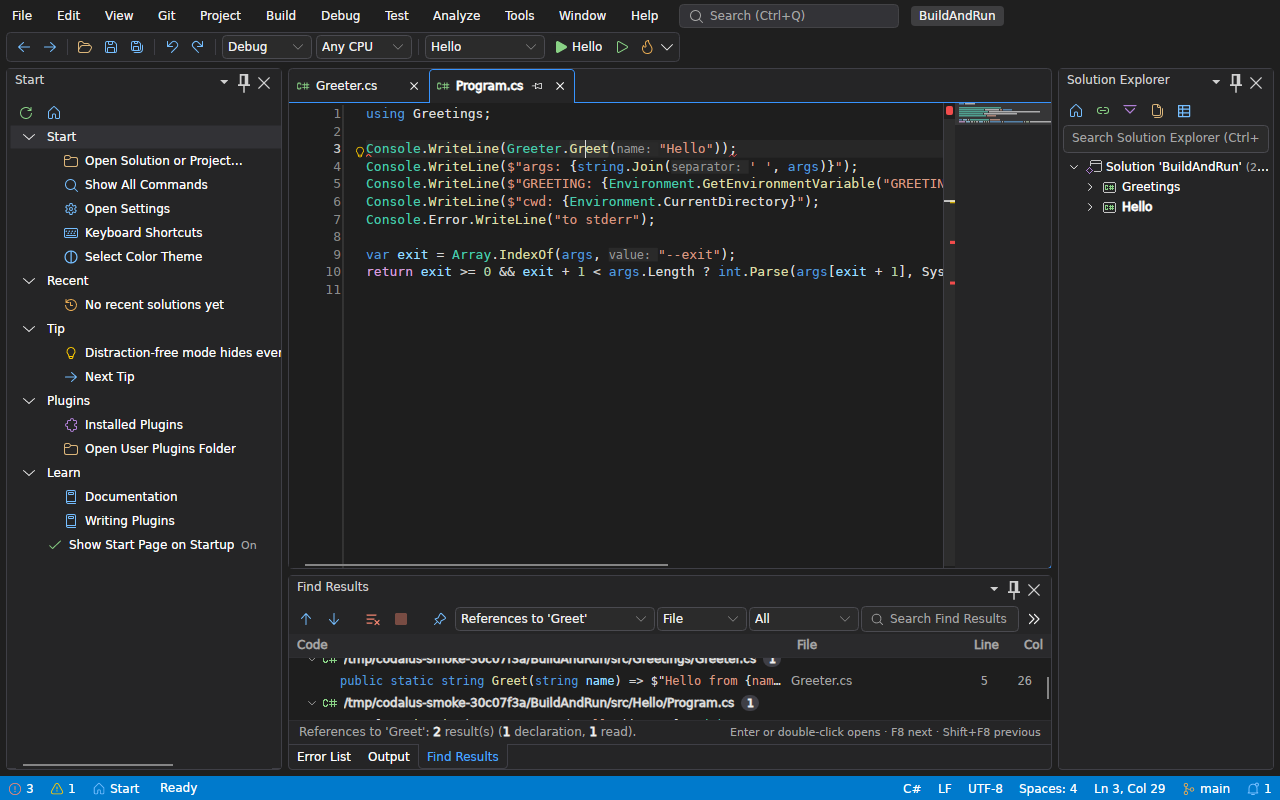
Built for what you build
One IDE for every .NET app model.
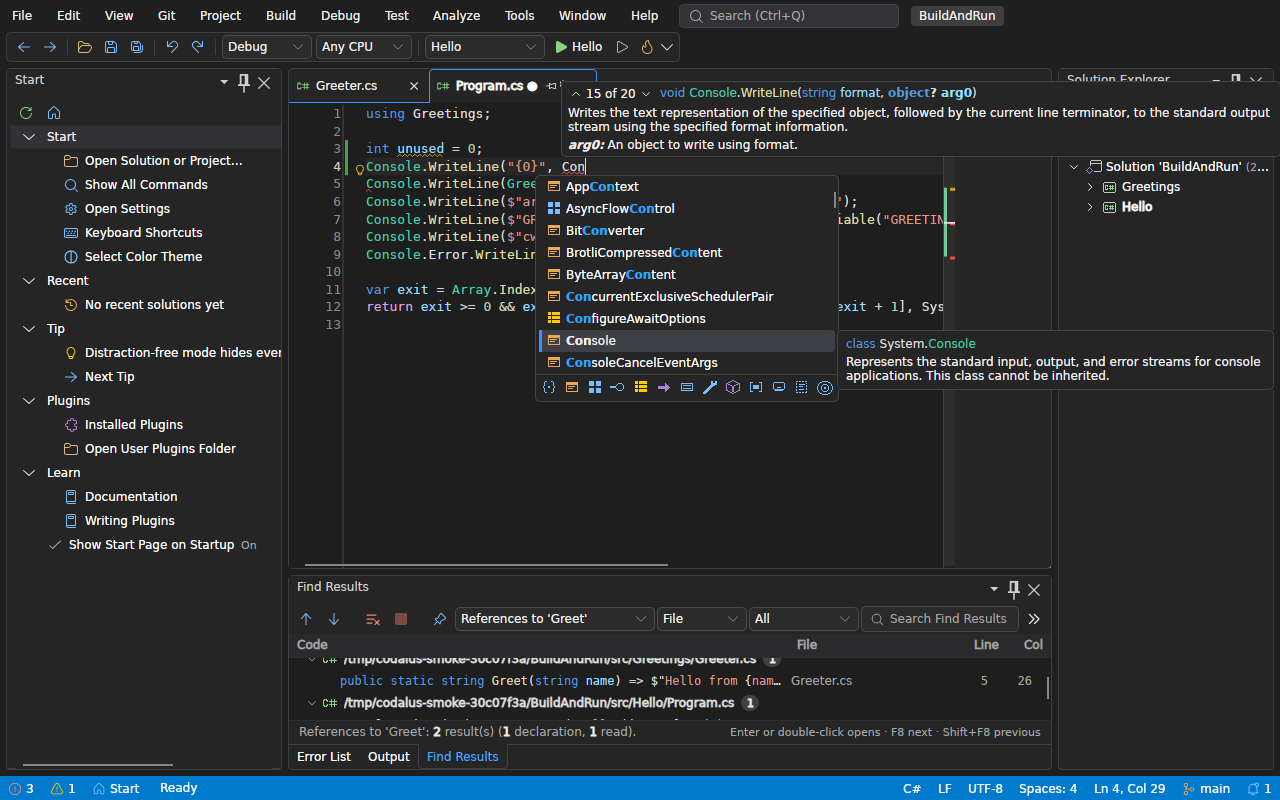
Console apps and libraries
- C# on Roslyn: semantic highlighting, completion, live diagnostics and refactorings with previews
- Multi-targeting, .NET Standard libraries, NuGet, and every .NET from .NET Core 2.0 to .NET 11
- Build, run, debug and test from one window, with the Test Explorer and coverage
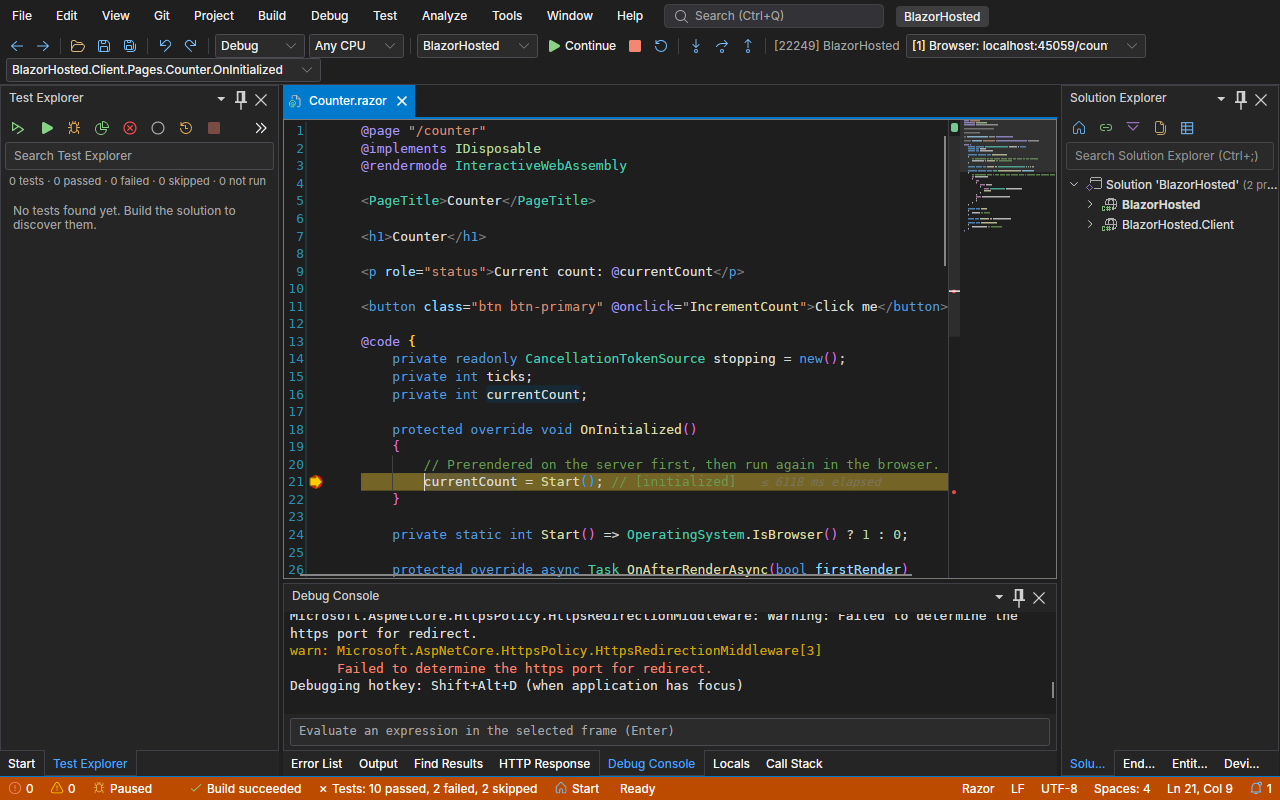
Blazor
- C# inside .razor files: completion, diagnostics, Go to Definition and rename
- The server and its WebAssembly page debugged as one session, in the browser
- Hot Reload through dotnet watch
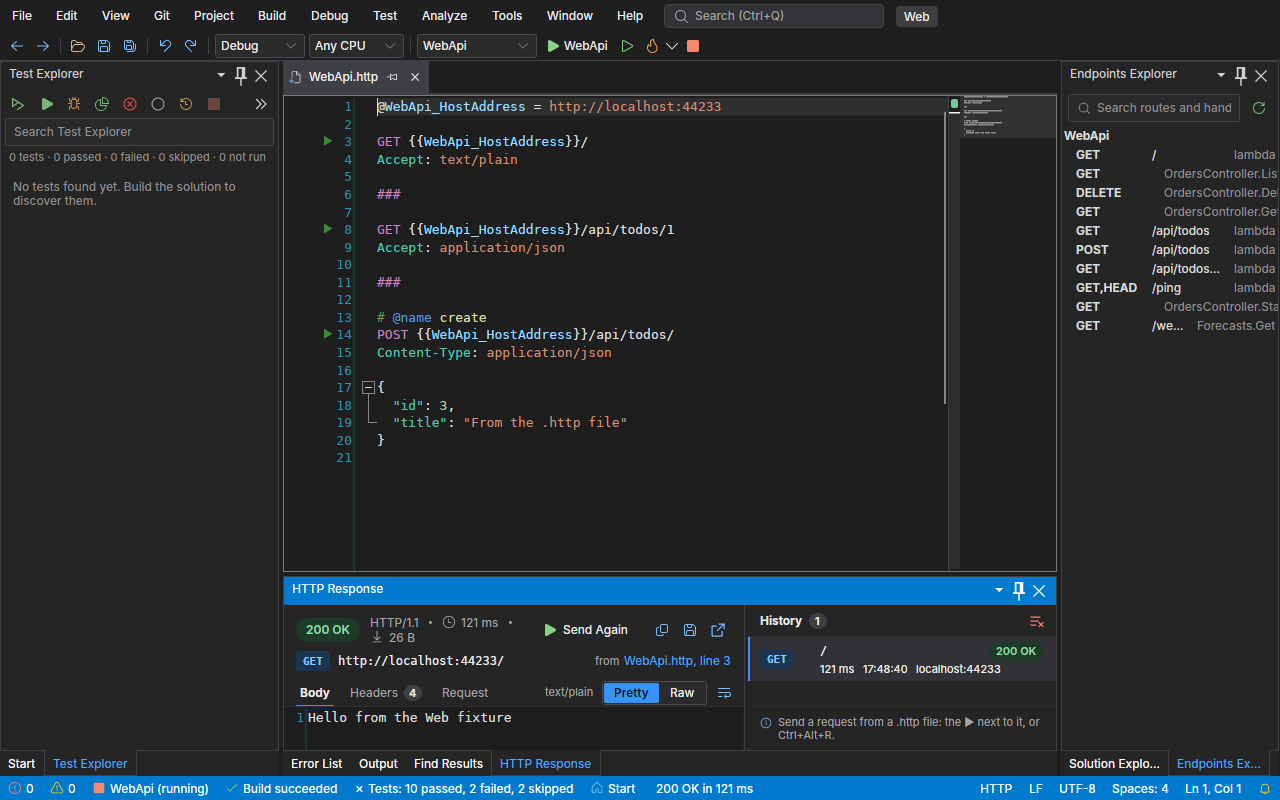
ASP.NET Core
- An Endpoints Explorer, and .http files with the response's status, headers and history
- Scaffolding, and OpenAPI and gRPC service references
- The HTTPS development certificate and user secrets
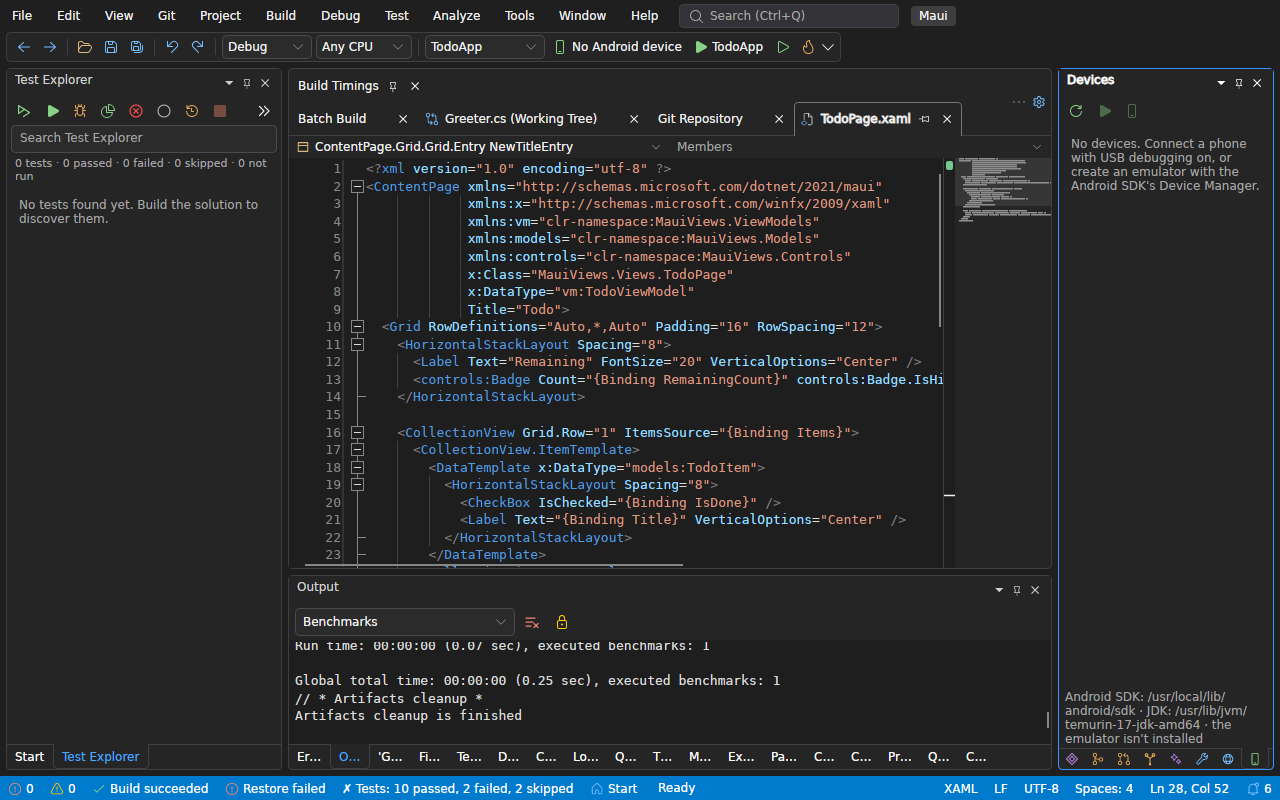
.NET MAUI
- A device picker on the toolbar, and the Android Device Manager, SDK Manager and Device Log built in
- Debugging on Android, iOS simulators and Mac Catalyst with our own Mono debugger
- MAUI XAML with compiled binding paths from x:DataType
Where it runs
Android on every desktop; iOS simulators, iPhones and Mac Catalyst on macOS; the Windows target on Windows.
.NET MAUI in the guide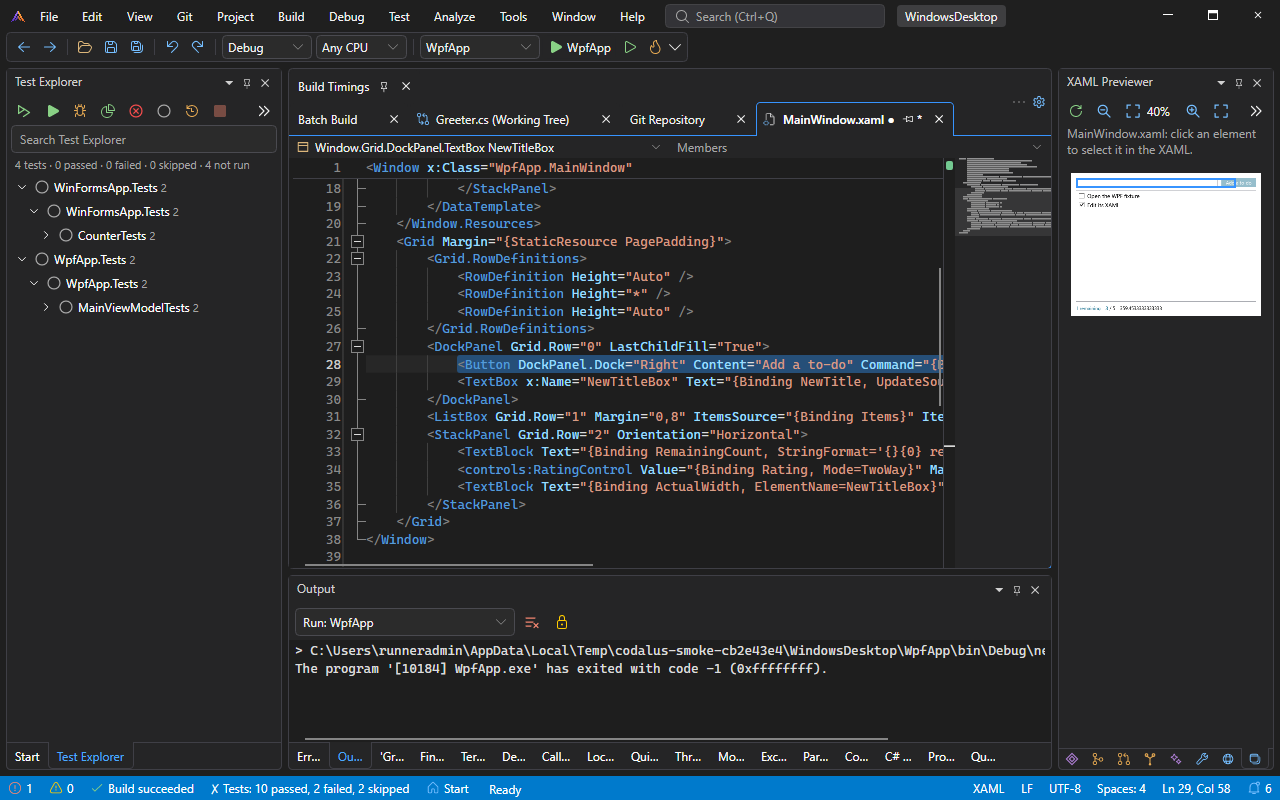
WPF
- XAML completion for controls, properties, markup extensions, styles and resources
- A previewer that draws your XAML on your app's own WPF as you type
- The Live Visual Tree and Live Property Explorer for running apps
Where it runs
Run, debug and preview on Windows; open, edit and build on macOS and Linux.
WPF in the guide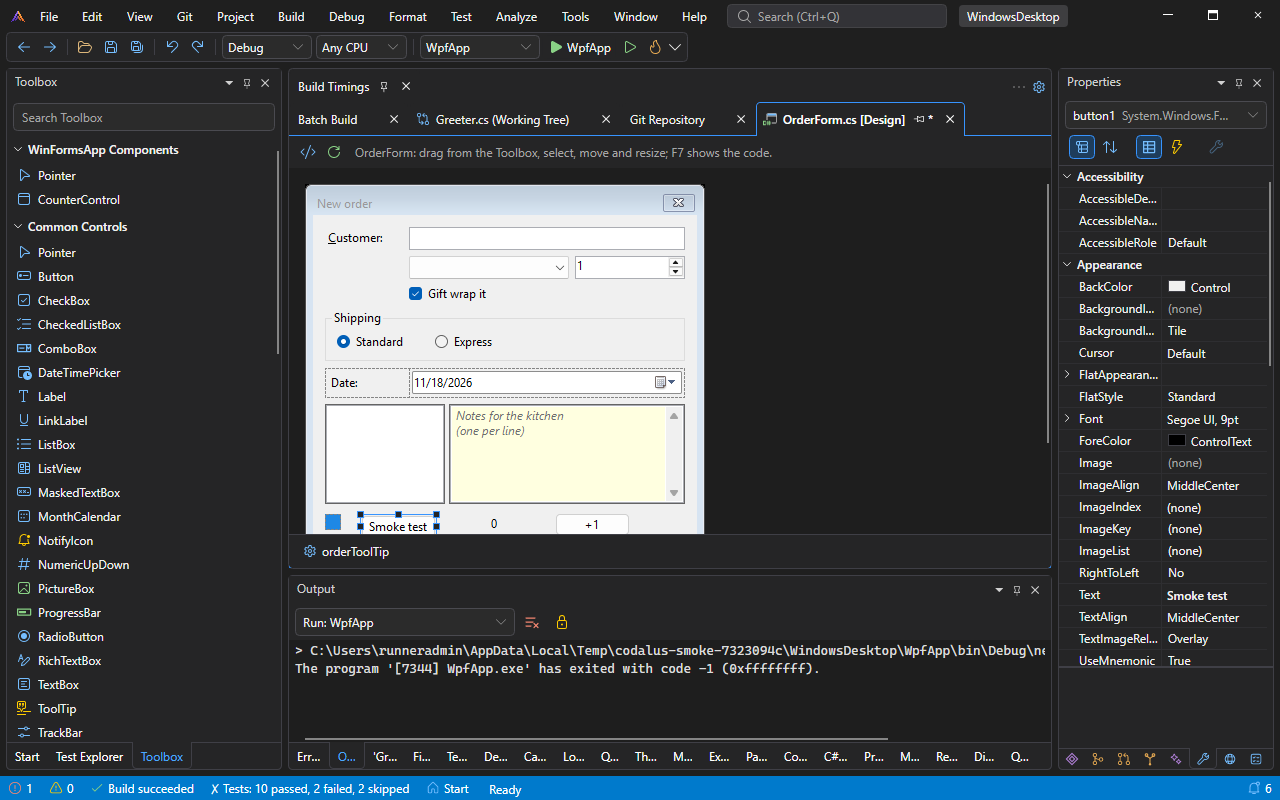
Windows Forms
- A designer on your app's own Windows Forms, with snap lines, smart tags and the Format menu
- The Toolbox with your own controls, and the Properties window with its Events view
- InitializeComponent written as the smallest edit, so a diff shows only what changed
Where it runs
Design, run and debug on Windows; open, edit and build on macOS and Linux.
Windows Forms in the guide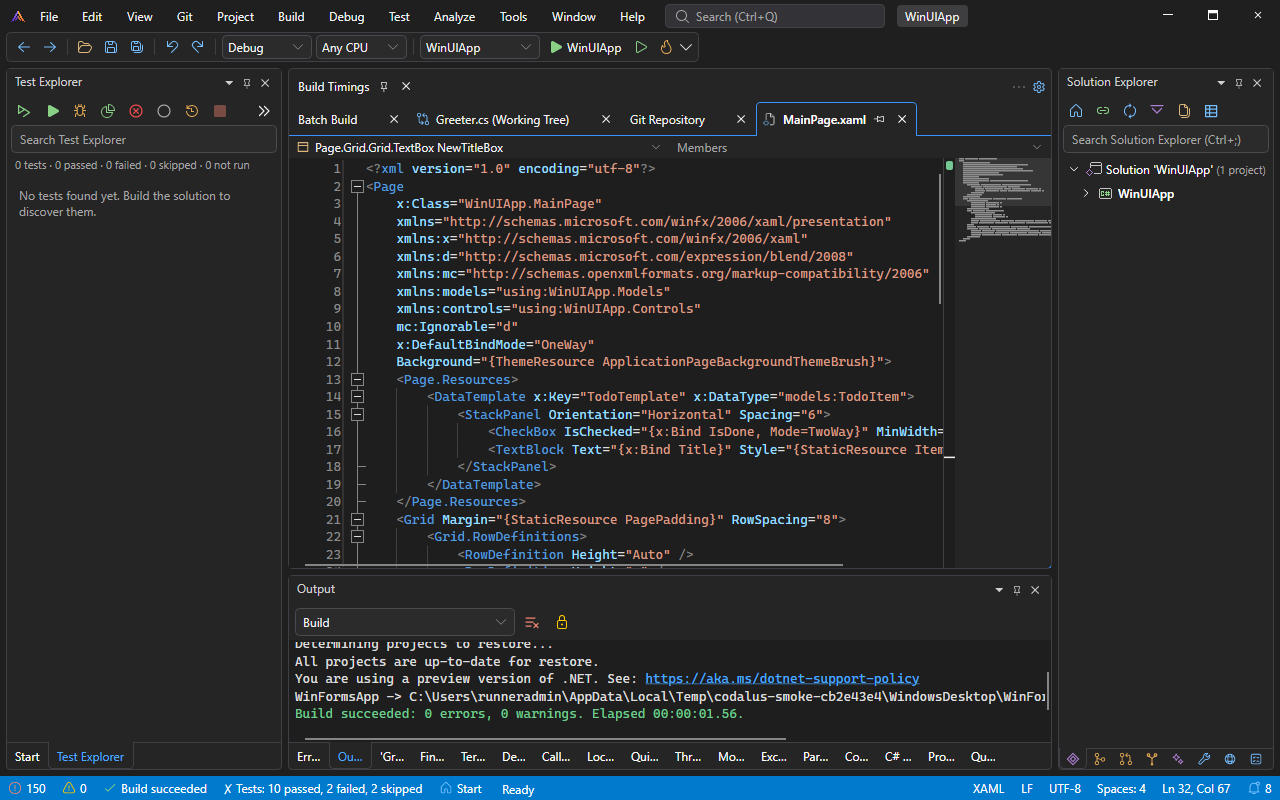
WinUI 3
- x:Bind paths checked against the page's class
- Packaged (MSIX) apps registered, started by Windows and attached to
- Hot Reload, and WinUI's compiler errors in their files
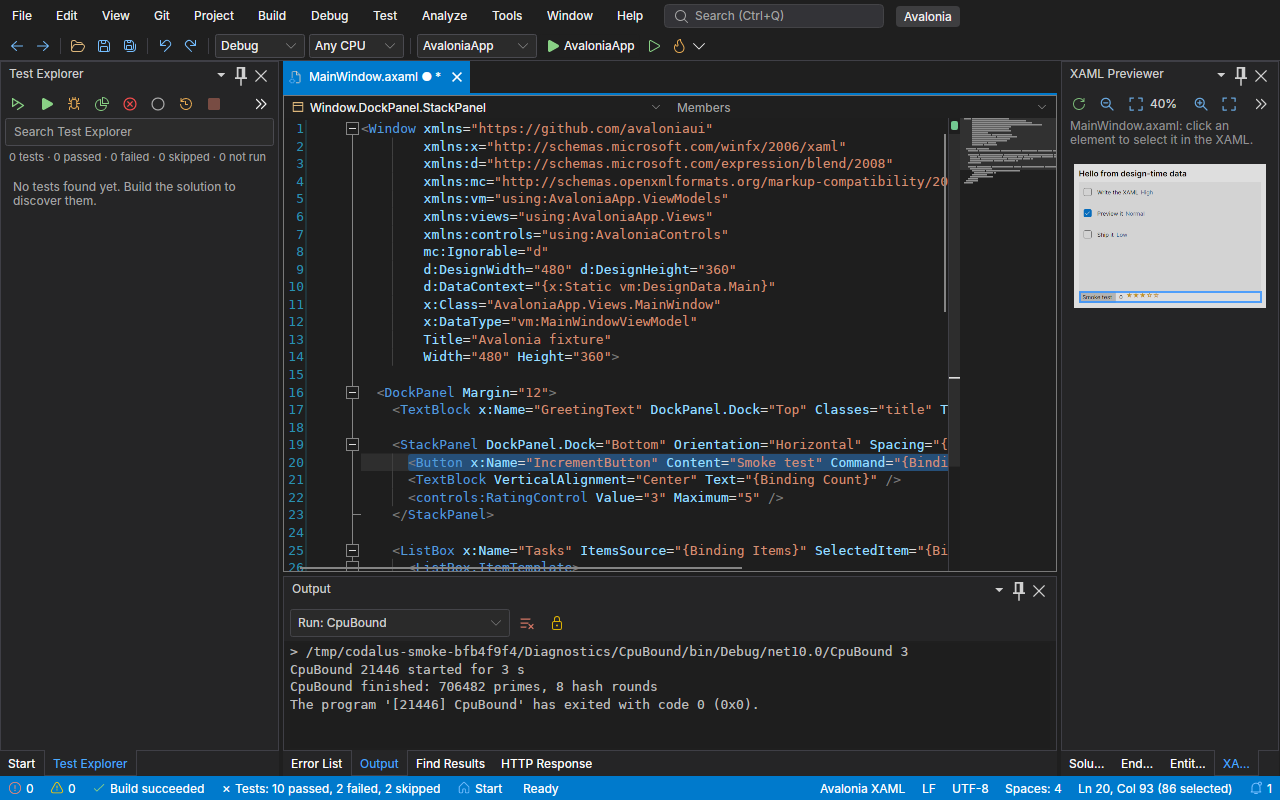
Avalonia
- Completion and binding paths in .axaml files
- A live XAML Previewer beside the code that follows every edit
- The Live Visual Tree and Live Property Explorer
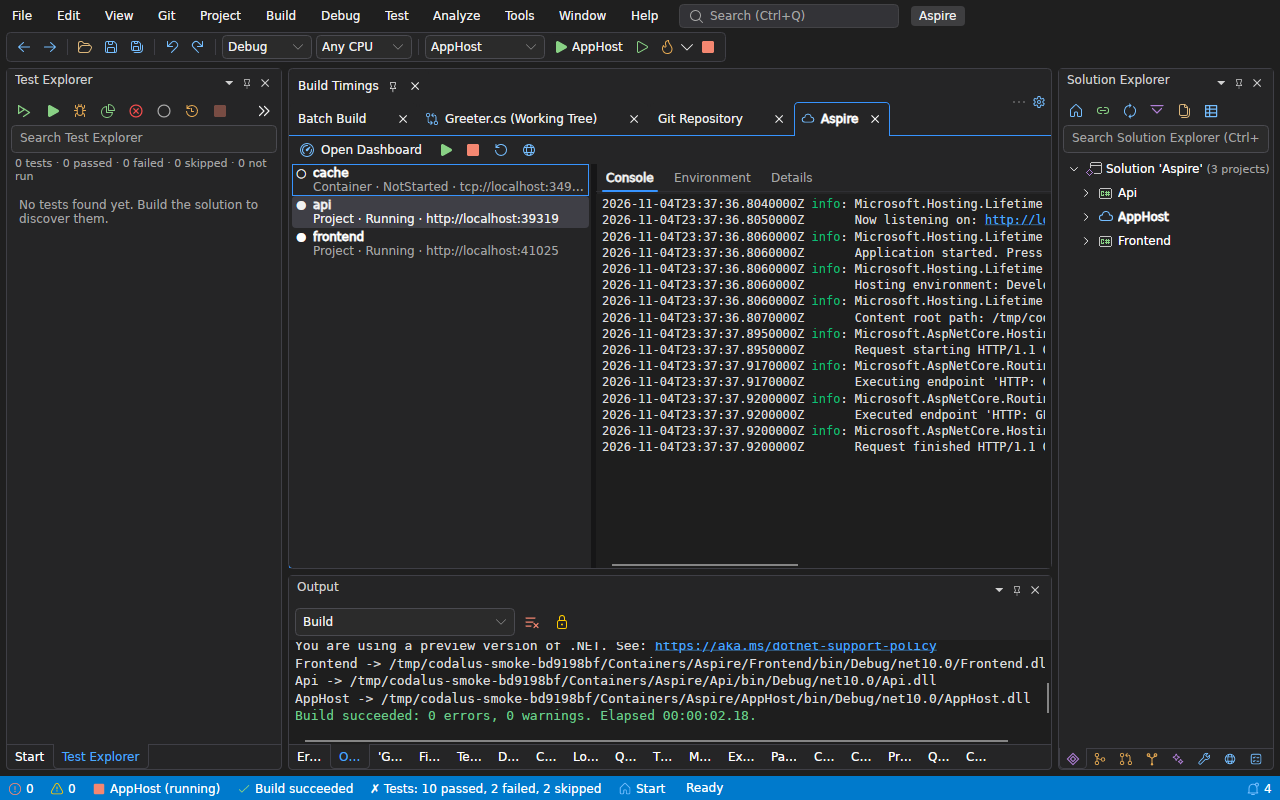
Aspire and containers
- Debug an AppHost with all its projects, and see its resources and their output
- Run and debug in a container with docker or podman, and Add Docker Support
- Debug every .NET service of a compose app at once, on your Debug build, and publish profiles with container images
Where it runs
Windows, macOS and Linux, with your docker or podman.
Aspire and containers in the guide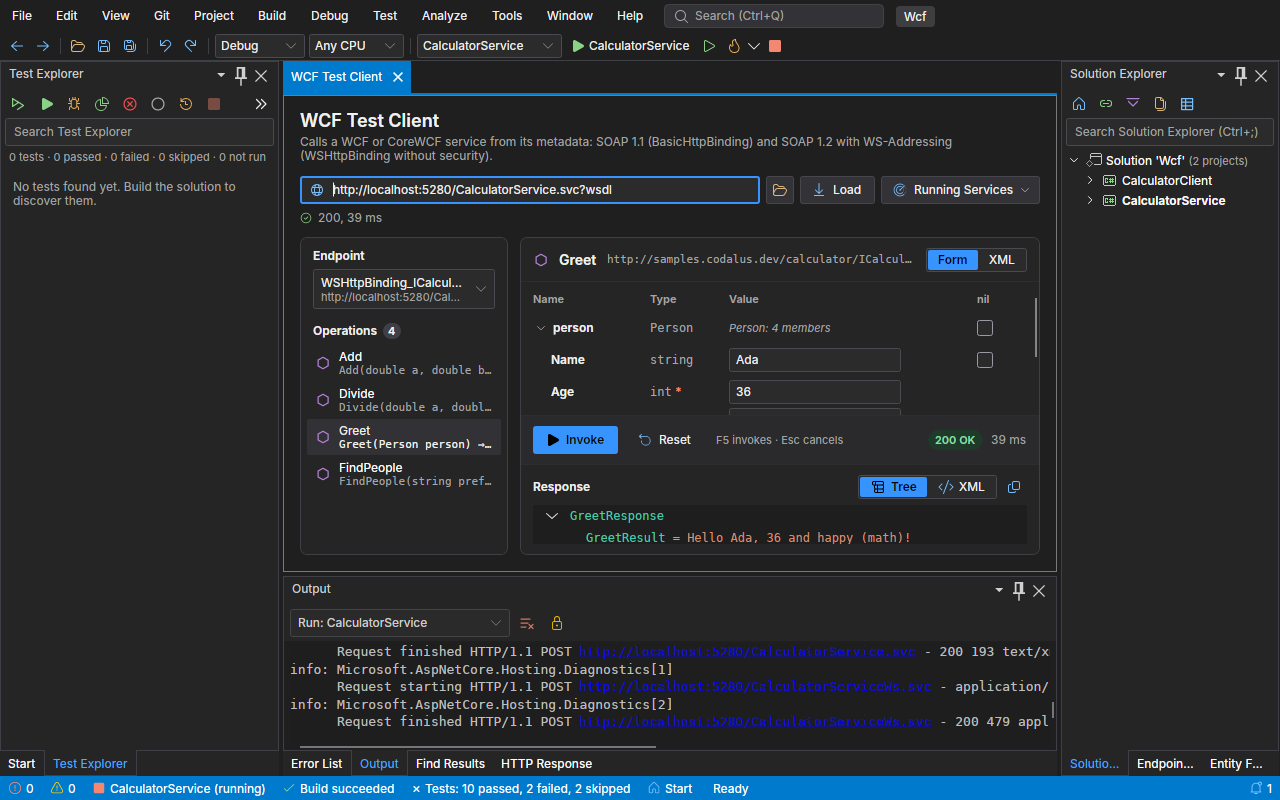
WCF
- Add Service Reference with your dotnet-svcutil
- CoreWCF services from CoreWCF's templates
- A WCF Test Client: a typed form per operation, the SOAP envelope, the response as a tree
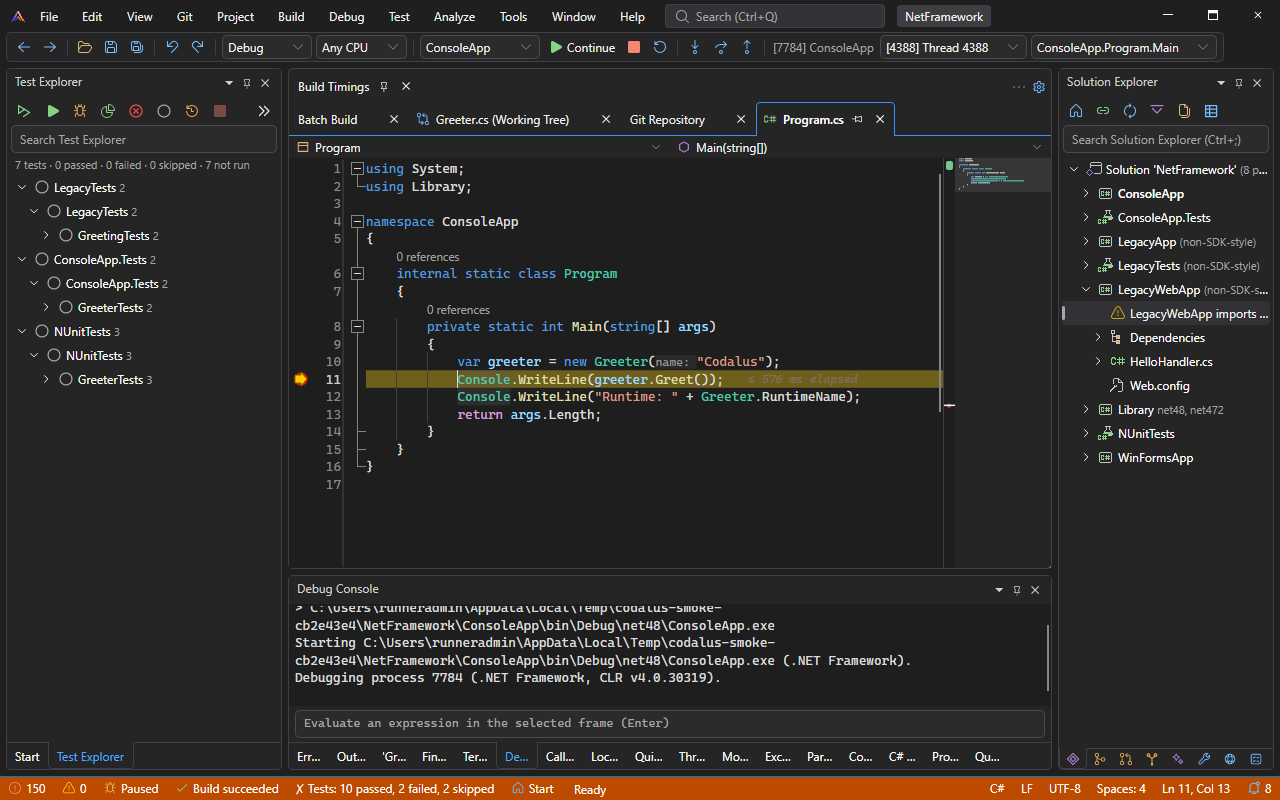
.NET Framework
- Old-style projects and packages.config, built with the .NET SDK's MSBuild and no targeting pack
- Convert to SDK-Style after a preview of every change
- Our own .NET Framework debugger, with Just My Code and Attach to Process
Where it runs
Run, debug and test on Windows; open, restore and build on macOS and Linux.
.NET Framework in the guideAI, on your terms
Your agent, with the whole IDE behind it.
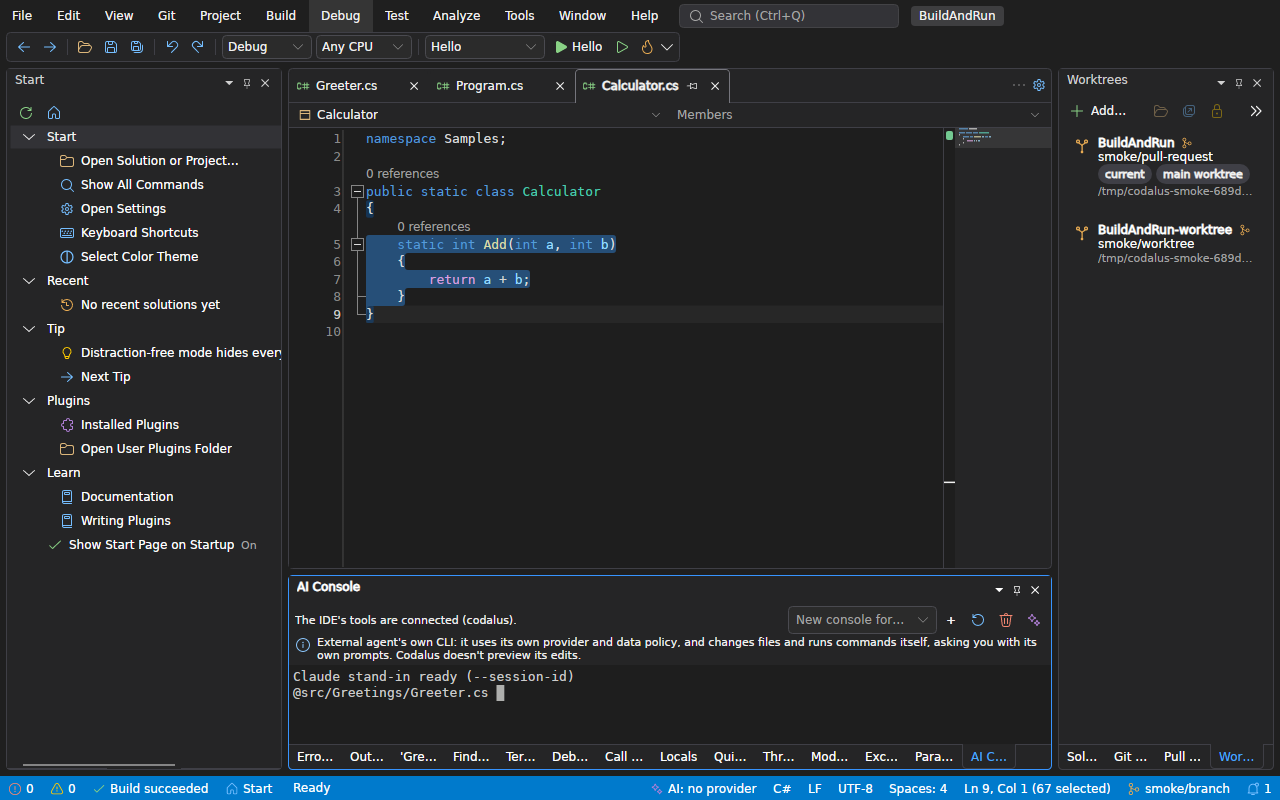
AI Console
- Claude, Codex, Gemini CLI, GitHub Copilot, pi, OpenCode or goose in their own command-line interface, in a console beside the Output and the Terminal
- The IDE's tools connected for that run where the CLI takes them, with nothing written to its own configuration
- Tabs that come back with their conversations, and Add Selection to send a reference instead of the text
What stays yours
It runs only while AI assistance is on, in folders you trust, and says that the agent changes files with its own approvals.
AI Console in the guide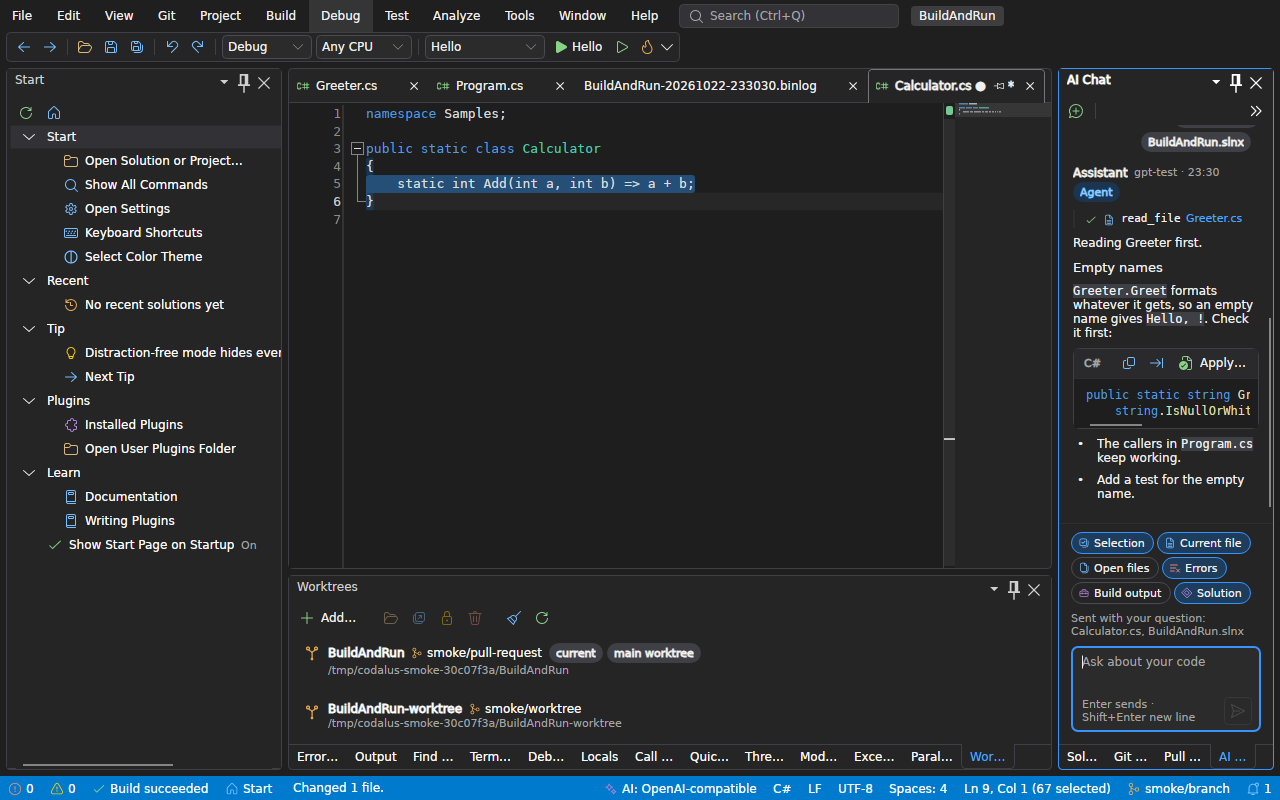
An agent that uses the IDE
- Symbols, references, implementations and callers through the compiler instead of grep
- Build, run the tests, start the program, and debug it with breakpoints, variables and steps
- A web app's page driven under the debugger, so its breakpoints stop
What stays yours
Every change shows in a preview first, every command runs after you allow it, and each answer lists the files it changed, with Revert.
An agent that uses the IDE in the guide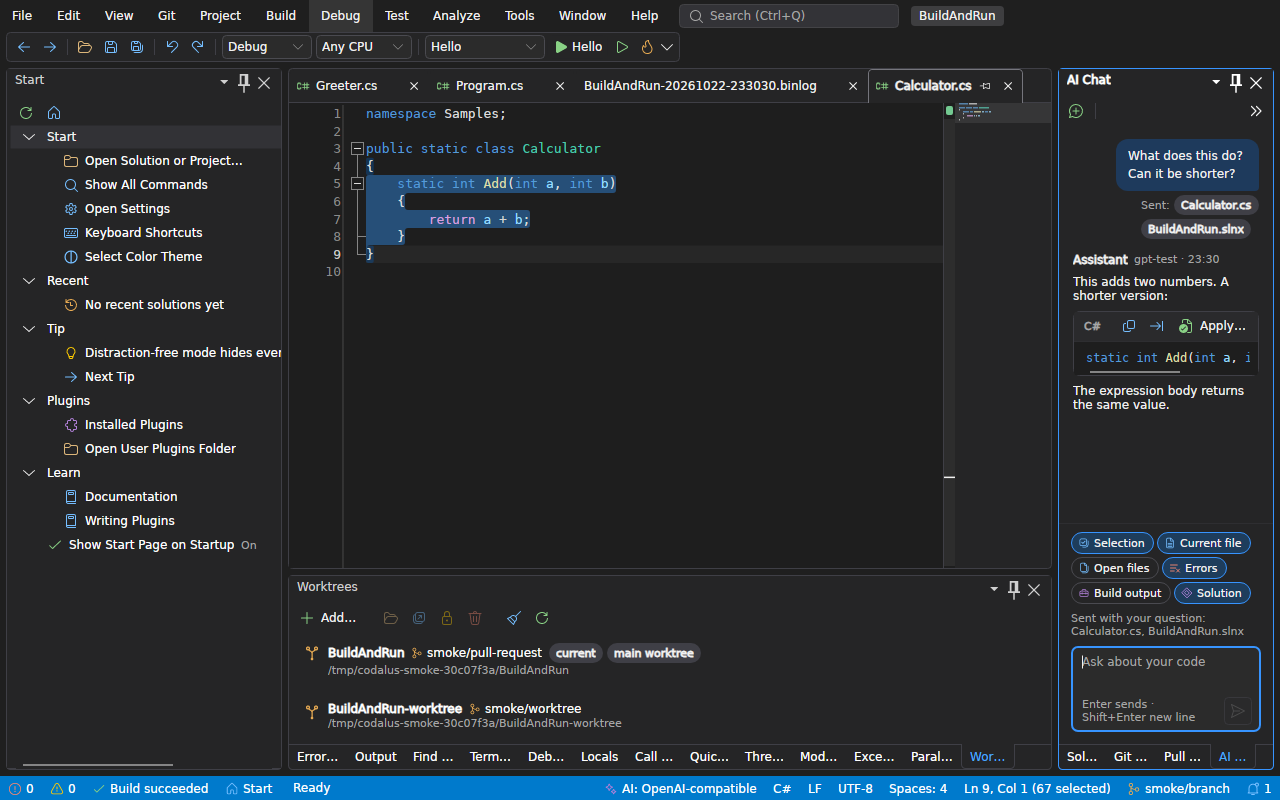
AI Chat
- Ask about your code and @-mention what goes with it: the selection, the errors, the build, any file
- Each answer's steps folded into one line, and code blocks in your editor's colors
- Inline and next edit suggestions, commit messages, Fix with AI, and tests for the selection
What stays yours
Off until you turn it on, with your own key or a model on your machine. Only what a question mentions is sent; secrets and ignored files never are.
AI Chat in the guide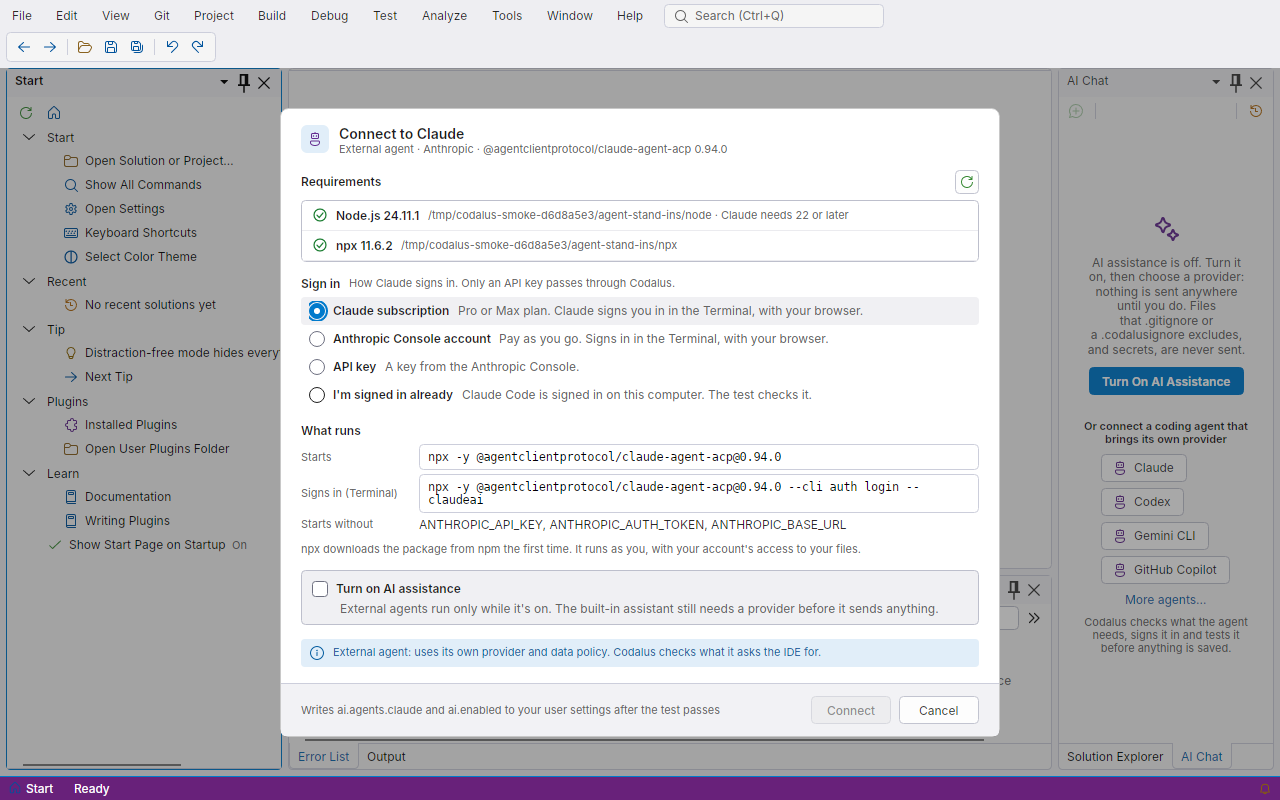
Connect your agent
- Claude, Codex, Gemini CLI or GitHub Copilot connected from one dialog
- Node.js found or installed with your own package manager, and the agent signed in its own way
- The connection tested in an empty folder before anything is saved
What stays yours
The exact commands show before they run, keys go to the OS credential store, and Disconnect undoes it.
Connect your agent in the guideThe whole inner loop
From opening a solution to shipping it, in one window.
Write
C# on Roslyn
Semantic highlighting, completion, live diagnostics, refactorings with previews, your analyzers and source generators, and Code Search across the whole solution.
A real project system
.sln and .slnx, SDK-style and .NET Framework projects on MSBuild, property pages, configurations, multi-targeting and NuGet.
Web, Razor and Blazor
C# inside .razor and .cshtml, .http files, an Endpoints Explorer, and HTML, CSS and TypeScript servers.
Avalonia XAML
Completion and binding paths in .axaml files, XAML diagnostics, and a live previewer beside the code.
Run and fix
Debugging
Conditional breakpoints and logpoints, data tips, Watch, visualizers, PerfTips, and Blazor in the browser.
Testing
A Test Explorer for xUnit, NUnit, MSTest and TUnit, test margins in the editor, and coverage with Coverlet.
Profiling
Live .NET counters, CPU traces with flame graphs and hot lines in the editor, memory snapshots and .NET Async, through EventPipe.
Containers and Aspire
Run and debug in a container with docker or podman, and debug an Aspire AppHost with all its projects.
Ship and extend
Git and pull requests
Hunk staging, a history graph, branch management, a 3-way merge editor, interactive rebase, every repository of a solution in one window, and GitHub, Azure DevOps and GitLab.
Data and EF Core
Migrations and model views on your own dotnet-ef, and a Database Explorer for SQL Server, PostgreSQL, MySQL and SQLite.
Terminal and C# Interactive
Your own shells with clickable file:line links, and a C# REPL that loads NuGet packages and your project.
Plugins
A versioned, out-of-process plugin API, and any LSP language server added without writing code.
Built to stay responsive
A light native shell. Heavy work out of process.
The window is a Native AOT app. Roslyn, MSBuild, the debugger and plugins each run in their own supervised process. If one crashes, it restarts, and the editor never goes down with it. What stays in the window is built not to wait: everyday work on large solutions, from opening hundreds of projects to a test run of 20,000 results, is tested on every change so that no click or keystroke waits more than a second.
- lshostRoslyn
- buildhostMSBuild
- debughostdebugger
- markuphostJSON · XML · YAML
- replhostC# Interactive
- pluginhostyour plugins
Open source
MIT-licensed and developed in the open on GitHub. Every third-party component is listed with its license.
Private
No telemetry, and the tools it runs send none either: the .NET SDK's and Avalonia's build telemetry are turned off for its builds. Crash reports stay on your machine and are opt-in. Tokens live in the OS credential store.
Safe by default
Untrusted folders open in restricted mode: no MSBuild, no restore, no code runs until you trust them.
Familiar
A classic IDE layout and keyboard scheme, the Classic themes plus four theme families (Harbor, Graphite, Daylight and Ember, each Light, Dark and High contrast), and VS Code, ReSharper and Emacs key bindings as options, all offered by a setup at the first start.
Open your solution in Codalus IDE.
Installers for Windows, macOS and Linux that update themselves, plus apt and dnf repositories. You need the .NET 11 SDK (or newer) and git 2.30 or newer.